Your songs.
Your prompts.
Your data.
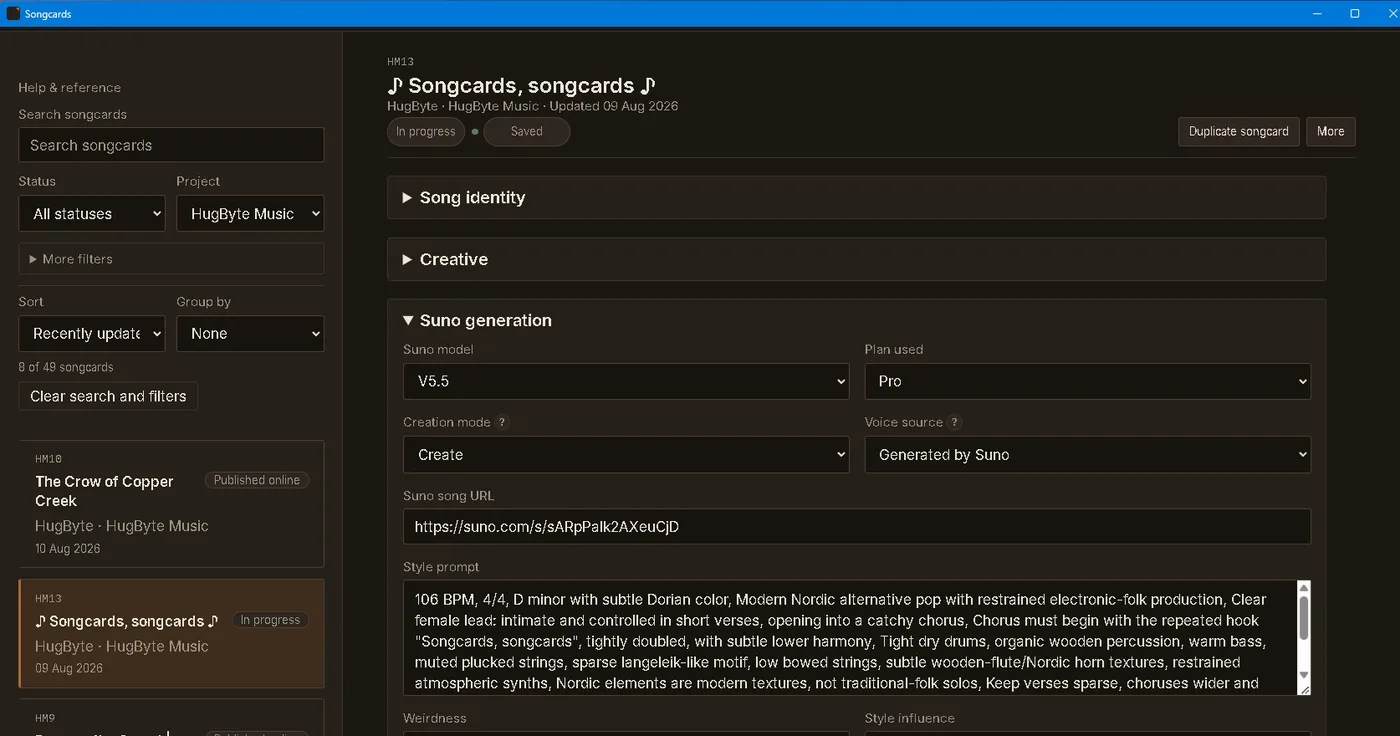
Songcards is a Windows desktop app that helps you keep your AI-generated songs, prompts, versions and details organized — with full control, on your computer.
One-time purchase. No subscription. Your data stays on your computer.
-
Windows app
Built for 64-bit Windows PCs. One installer, no account.
-
One-time purchase
€54. No subscription. Yours to keep.
-
Local-first
Your data stays on your computer.
-
Backup & restore
Keep your catalog safe and in your control.
A calmer way to organize
From idea to finished song — all in one place.
Keep track of your song ideas, prompts, generations, versions, release notes and key details. Songcards gives you a clear, structured home for your growing catalog, so nothing gets lost.
See how it works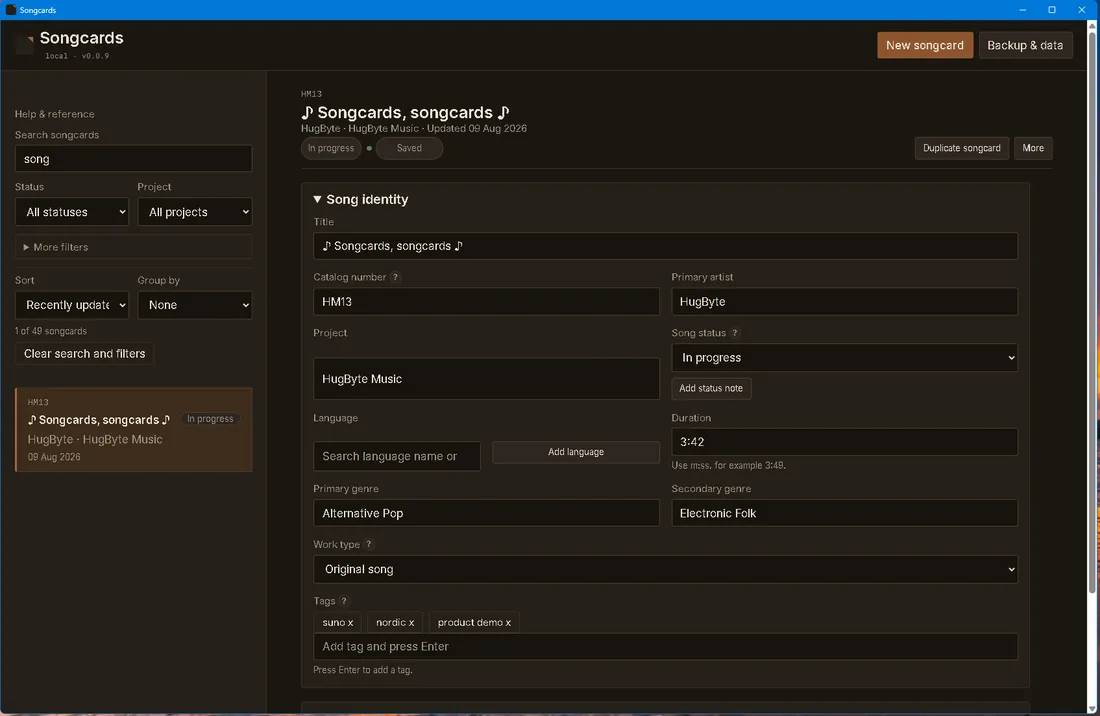
Your data, always yours
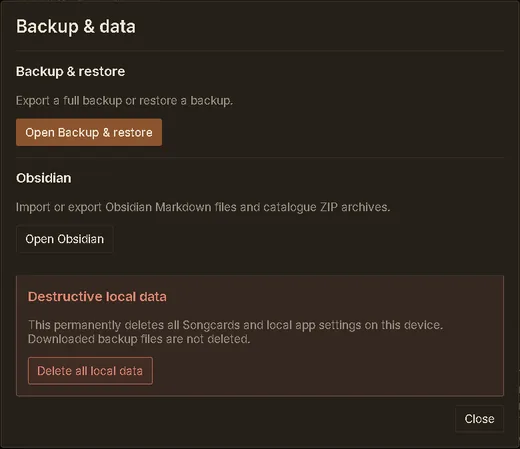
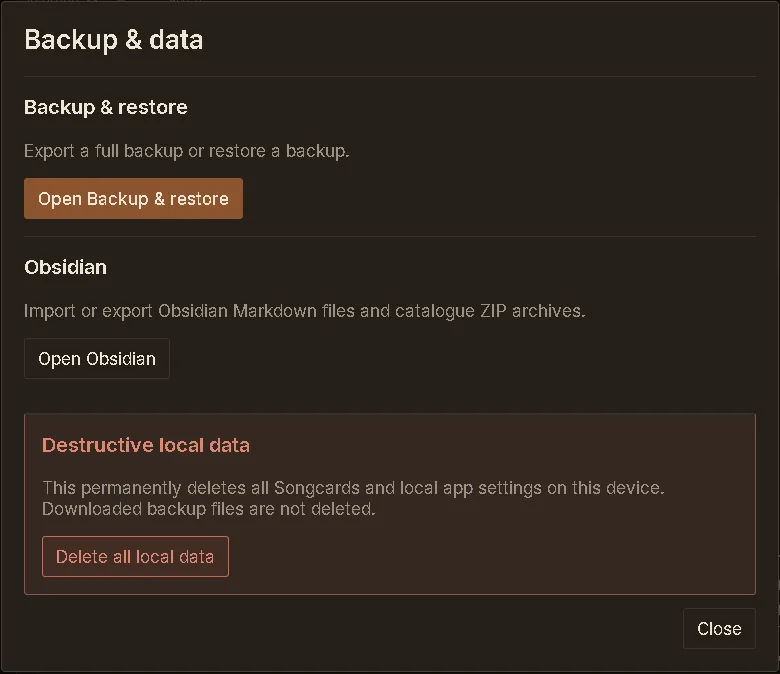
Built-in backup & restore
Easily export a full backup of your Songcards data, and restore it whenever you need to. Your songs, prompts and settings stay on your computer — with simple tools to keep them safe for the long term.
Get Songcards€54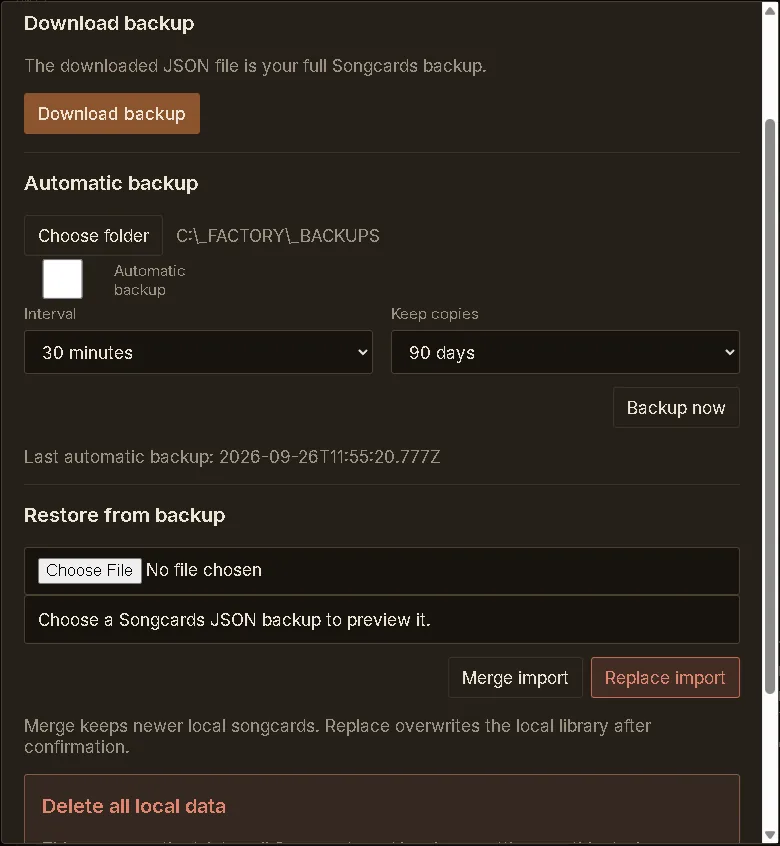
-
Keep your creativity organized
Store prompts, generations, versions and release notes in a clear, searchable catalog.
-
Full control on your computer
Your data lives locally. No subscription, no forced accounts, no dependence on external services.
-
A solid home for a long-term catalog
Whether you have a few songs or a large catalog, Songcards is designed to grow with you.
Simple pricing
One-time purchase.
Yours to keep.
Get the full Songcards app for a single payment of €54. No subscription. No ongoing fees.
€54
Get Songcards€54- Windows desktop app (64-bit, x64)
- One-time purchase (€54)
- No subscription
- Local-first (your data stays on your computer)
- Built-in backup & restore
- Organize songs, prompts, versions and details
- Designed for a long-term catalog
Installer, README and SHA-256 checksum are sent by email after payment. The installer is not code-signed, so Windows may show a SmartScreen warning. How to verify it
Frequently asked questions
Is Songcards a subscription?
No. It is a one-time purchase of €54. No account, no recurring billing.
Where is my data stored?
On your own Windows PC. Songcards keeps your library locally. There is no Songcards account and no Songcards cloud library, and the app does not upload your lyrics or song information to HugByte.
Can I back up and restore my data?
Yes. Backup and restore is built in. You can download a full JSON backup, set up automatic backups to a folder you choose, and restore later with a merge or a replace import. Because your library is local, keep backup copies outside the PC you are protecting.
Does it work offline?
Yes. Songcards is a desktop app that stores your library on your computer, and normal use does not require a network connection. You only need to be online to buy and download it.
What do I get with the purchase?
The full Songcards Windows app, with no feature tiers. After payment, a Windows installer, a README and a SHA-256 checksum are sent to the email address you used at checkout. No account is needed.
Which version of Windows do I need?
Songcards is for modern 64-bit Windows PCs (x64). Windows on ARM is not currently documented as supported. There are no versions for macOS, Linux or Android.
How is it delivered? Why does Windows show a warning?
After successful payment through Stripe, the download is sent to the email address you used at checkout. The installer is currently not code-signed, so Windows SmartScreen may show an unknown-publisher warning. The installation guide shows how to verify the file with the checksum before you run it.
What if I need a refund or something goes wrong?
Songcards is delivered digitally and immediately, so the statutory withdrawal right can end once delivery begins, where the law allows. Your mandatory consumer rights for defects, duplicate charges or failed delivery are not affected. Read the terms or email songcards@hugbyte.no.
A safe and organized home for your music.
Own your songs, your prompts and your data. Get Songcards today for €54.
Get Songcards€54Secure checkoutOne-time purchaseYour data stays on your computer